

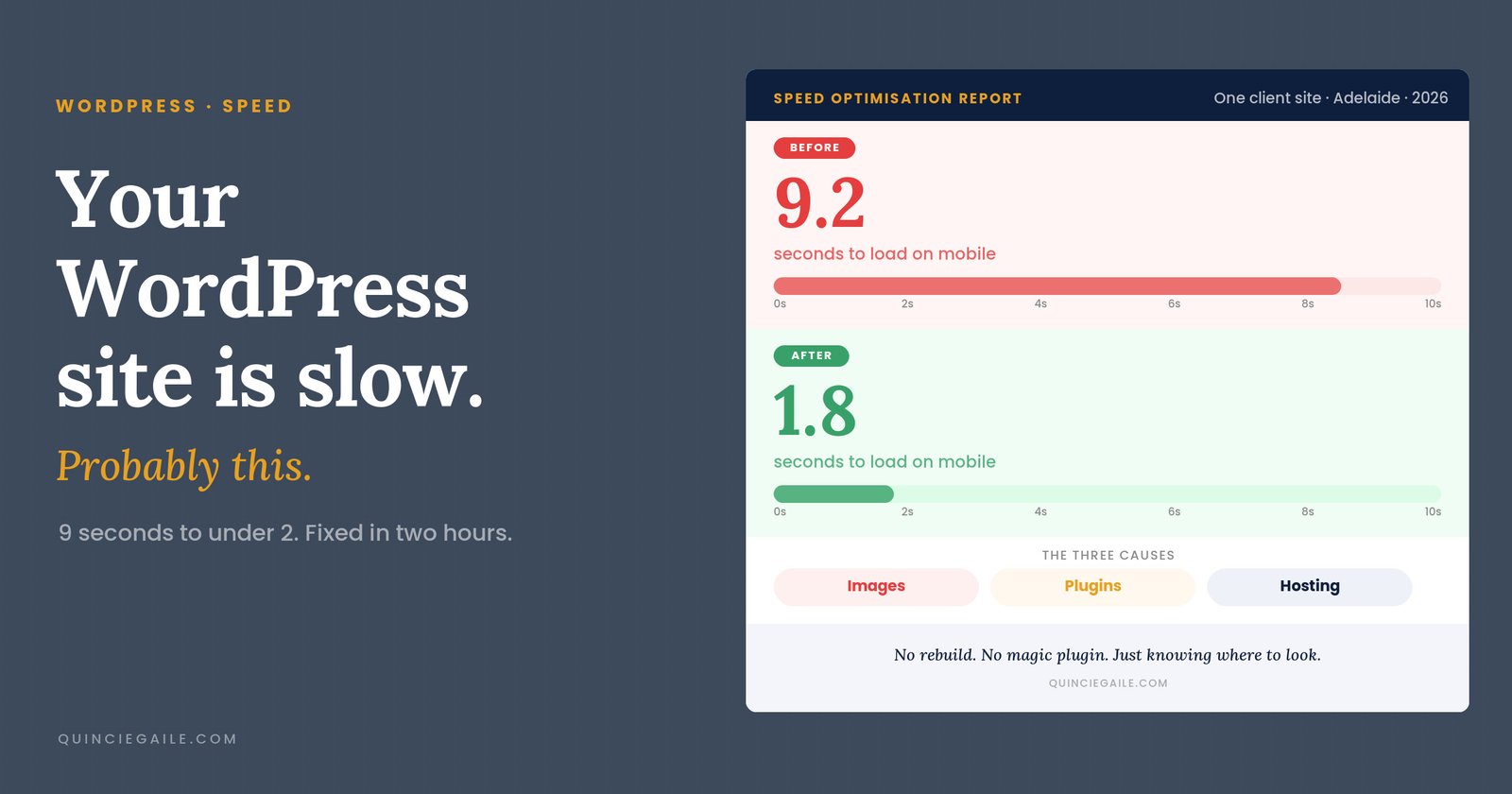
Your WordPress site is slow. Probably this.
A client sent me a message last month asking if I could “just make their site faster” before a campaign went live. Not a lot of detail – just: it’s slow, can you sort it.
I had a look. The homepage took nine seconds to load on mobile. Nine. As wordpress speed optimisation problems go, that one was obvious – it just needed someone to actually look.
I fixed the main issues in about two hours. No rebuild. No magic plugin. The site went from nine seconds to under two. That’s what wordpress speed optimisation actually looks like – knowing where to check first.
It’s almost always one of three things
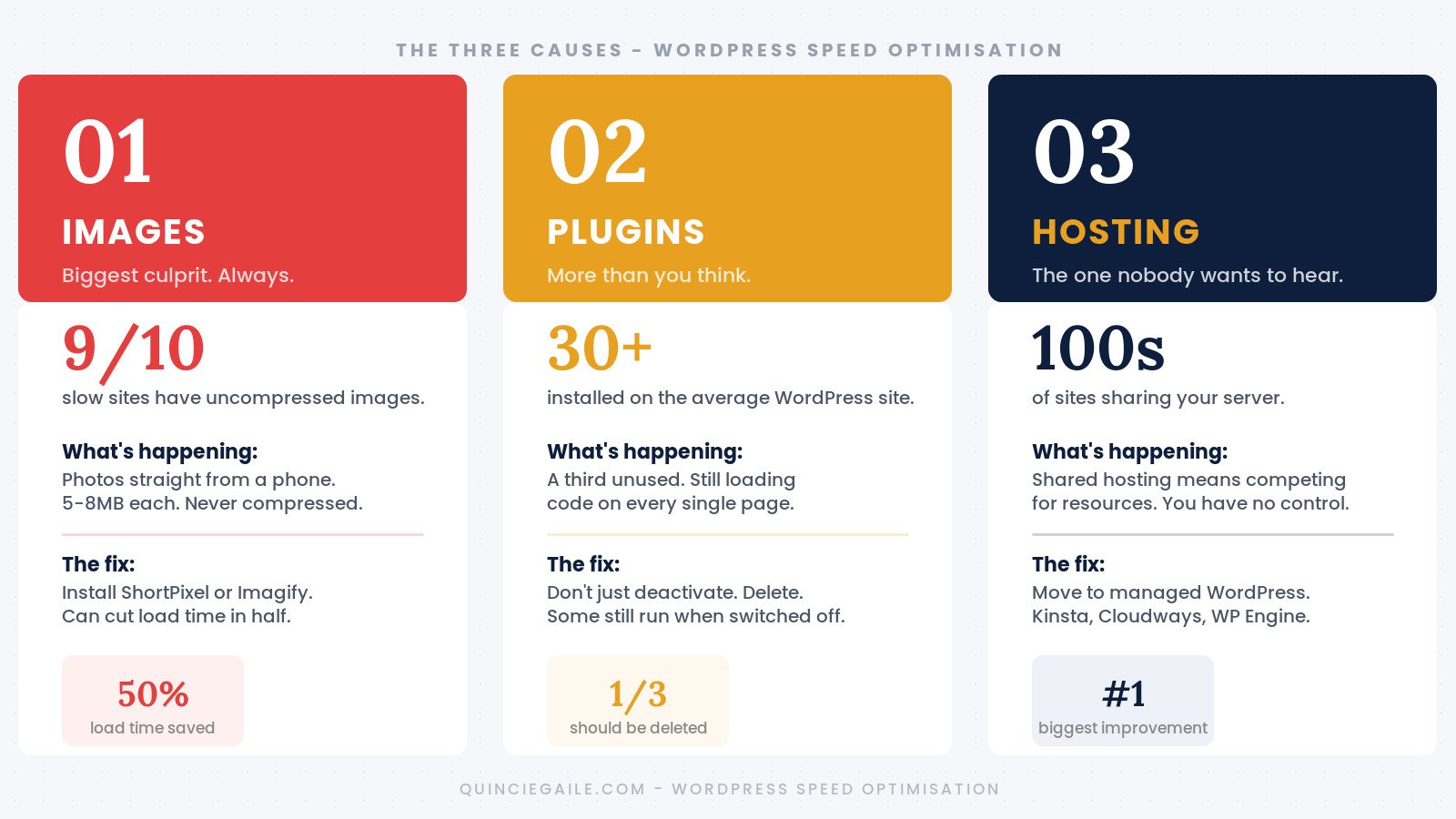
Images. Plugins. Hosting.
That’s it. Not because other causes don’t exist, but because in every slow WordPress site I’ve worked on, the problem traces back to at least one of these – usually two.
Images are the biggest culprit by far. Someone builds a website, uploads photos straight from their phone or camera, and considers it done. A single image from a modern smartphone can be 5–8MB. Three of those on a homepage and you’re asking every visitor to download 20MB before the page finishes loading. WordPress will resize images for display, but it won’t compress them. You need a plugin like ShortPixel or Imagify to actually reduce file size without wrecking quality. On image-heavy sites, this single fix can cut load time in half.
Plugins are next. Every plugin you install adds code that has to run on every page load. Some are lightweight. Some are not. Most WordPress sites I look at have 30–40 plugins installed and at least a third are inactive, redundant, or only used once during setup. Deactivating them isn’t enough – some run code even when switched off. Delete what you’re not actively using.
Hosting is the one nobody wants to hear because it costs money. Shared hosting means your site shares a server with hundreds of others and competes for the same resources. When the server’s busy, your site is slow – and you have no control over it. Moving to managed WordPress hosting (Kinsta, Cloudways, WP Engine) is the biggest performance improvement you can make without touching a single line of code.
The wordpress speed optimisation steps that actually move the needle
Before you run any plugin or change any settings, open your site on your phone. Mobile data, not wifi. Time how long it takes for something useful to appear on screen.
Over three seconds? Start with images. Use Google PageSpeed Insights to get a breakdown – look under “Opportunities.” Oversized images almost always appear near the top.
If images are sorted, audit your plugins. Deactivate them one at a time and reload after each. If removing something makes a noticeable difference, either find a lighter replacement or cut it entirely.
If neither moves the needle, the hosting conversation needs to happen.
Two things that help almost every WordPress site and are consistently underused:
Caching. A caching plugin tells WordPress to serve a saved static version of pages instead of rebuilding them from scratch on every single visit. WP Rocket is the paid standard. LiteSpeed Cache is a solid free option. For a site that isn’t changing by the minute, this is a straightforward win.
A CDN. A Content Delivery Network stores copies of your site’s assets on servers closer to your visitors geographically, so content loads faster regardless of where they are. Cloudflare’s free tier does a reasonable job and takes about twenty minutes to set up. There’s no good reason not to have it.
Speed matters more than the score
PageSpeed Insights will give you a number out of 100. That number is not the point.
A score of 65 that loads in 2.5 seconds on mobile is better – practically speaking – than a score of 90 that takes 4.5 seconds. I saw this pattern all through the sites I looked at when I audited 10 Aussie small business websites – slow load times were one of the most consistent problems, and not one business owner knew how bad it was until I showed them.
The goal isn’t to hit green. The goal is a site that doesn’t make people wait long enough to leave.
Most WordPress speed problems aren’t mysterious. They’re images nobody compressed, plugins nobody cleared out, and hosting that made sense three years ago but doesn’t anymore. Finding them doesn’t take a developer. It takes knowing where to look first – and then actually looking.
Add a review
Your email address will not be published. Required fields are marked *